# Trading Hub Strategy
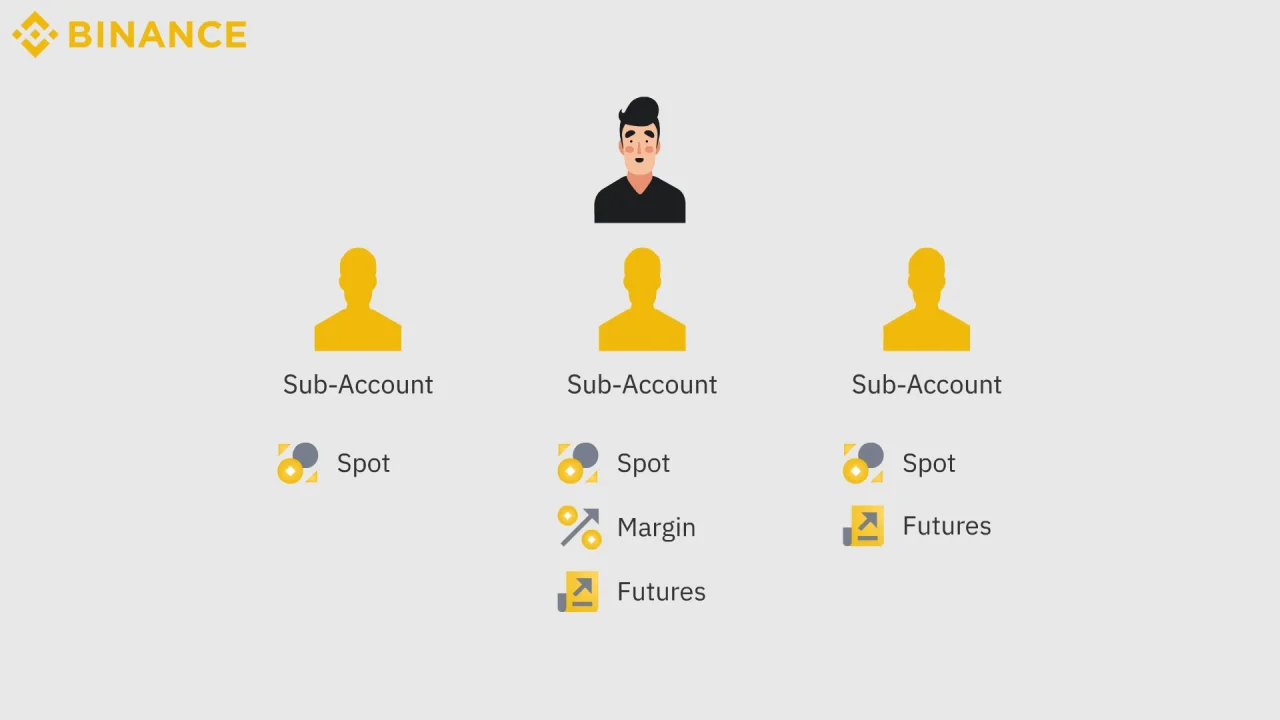
Any exchange allows us to have one **Main Account** and multiple **Sub-Accounts** (*the purpose is to avoid having to register too many accounts on the same exchange, helping you manage everything while still ensuring separation*)
For example, the Binance exchange
To use XAPY's **Trading Hub All-In-One** feature, you’ll need to **create a sub-account** and connect it to the XAPY platform.
***
### We need to go through the following steps
***
{% tabs %}
{% tab title="Step 1: Create Sub-Account" %}
Below is the guide for operating on the **OKX exchange**. For other exchanges, you can follow similar steps, as they are almost the same
Create Sub-Account on OKX
**Step 1:** **Sub-account Management** Click on the account avatar icon on the main screen and select the sub-account feature.
Sub-account
**Step 2:** **Create Sub-account:** In the sub-account section, select "Create Sub-account" to create a new sub-account
**Step 3**: Users need to follow the instructions in the attached images to input and select the information.
After selecting Standard Sub-Account (1), you need to proceed to step (2), which is editing the parameters.
**Step 4:** Select the parameters as shown in the image below (you can skip the **Options** section).
Select the parameters
Create Sub-Account on Bybit
XAPY will provide direct guide links from the exchange below. Please review and follow them
Create Sub-Account on Binance
XAPY will provide direct guide links from the exchange below. Please review and follow them
Create Sub-Account on Bitget
XAPY will provide direct guide links from the exchange below. Please review and follow them
Create Sub-Account on BingX
XAPY will provide direct guide links from the exchange below. Please review and follow them
Create Sub-Account on Coinex
XAPY will provide direct guide links from the exchange below. Please review and follow them
Create Sub-Account on Gate
XAPY will provide direct guide links from the exchange below. Please review and follow them
Create Sub-Account on Huobi
XAPY will provide direct guide links from the exchange below. Please review and follow them
{% hint style="info" %}
If you haven’t seen your exchange in this guide section, please contact us or use the Google Search with the keyword: "create sub-account + the name of the exchange you want to view the guide for."
{% endhint %}
{% endtab %}
{% tab title="Step 2: Transfer Funds" %}
You need to transfer funds from the main account to the sub-account to be able to trade
Below is the guide for operating on the OKX exchange. For other exchanges, you can follow similar steps, as they are almost the same.
Step 1: You select the fund transfer section
Step 2: Select to transfer funds to the trading account of the Sub-Account.
Step 3: Enter the amount and click transfer
{% endtab %}
{% tab title="Step 3: Connect API" %}
Obtain the API key, security code, and API password (if applicable) from the CEX exchange, and enter them into the XAPY API connection portal.
Get API - ( OKX Guide)
Go to the API Key management section: Create API Key
Select the parameters as shown in the image below
1 -> Name the API
2 -> Select that this API is for a sub-account
3 -> Add the list of XAPY server IP addresses ( *Please review the list of XAPY server addresses in the account information section* -> **View now**)
4 -> Grant permissions to the API (See also: Enhancing security when granting API permissions)
5 -> Enter a private password (your preferred password) for the API
Connect API to XAPY
{% endtab %}
{% endtabs %}
---
# Agent Instructions: Querying This Documentation
If you need additional information that is not directly available in this page, you can query the documentation dynamically by asking a question.
Perform an HTTP GET request on the current page URL with the `ask` query parameter:
```
GET https://docs.xapy.io/document-guide/account-setup/trading-hub-strategy.md?ask=
```
The question should be specific, self-contained, and written in natural language.
The response will contain a direct answer to the question and relevant excerpts and sources from the documentation.
Use this mechanism when the answer is not explicitly present in the current page, you need clarification or additional context, or you want to retrieve related documentation sections.